 Voicecrack
Change your voice — unlock new possibilities
 Voicecrack
A soundboard and voice changer for Windows
Press a key and everyone in the game or call hears the sound. Turn on a voice and you speak as someone else. It works in any app where you can pick a microphone.
Free, no accounts and no subscriptions. Audio is processed on your own PC and never leaves it.
- Instant result Hit a key and the voice changes. No lag.
- Plenty of effects From a robot to an alien. Pick one or build your own.
- Works everywhere Games, messengers, calls and any app with a microphone.
- Light and safe No accounts, no subscriptions, no data collection.
One microphone for every app
Games, messengers, calls, streams and recording: Voicecrack changes your voice anywhere you can pick a microphone.
Click the microphone to switch its voice
What it does
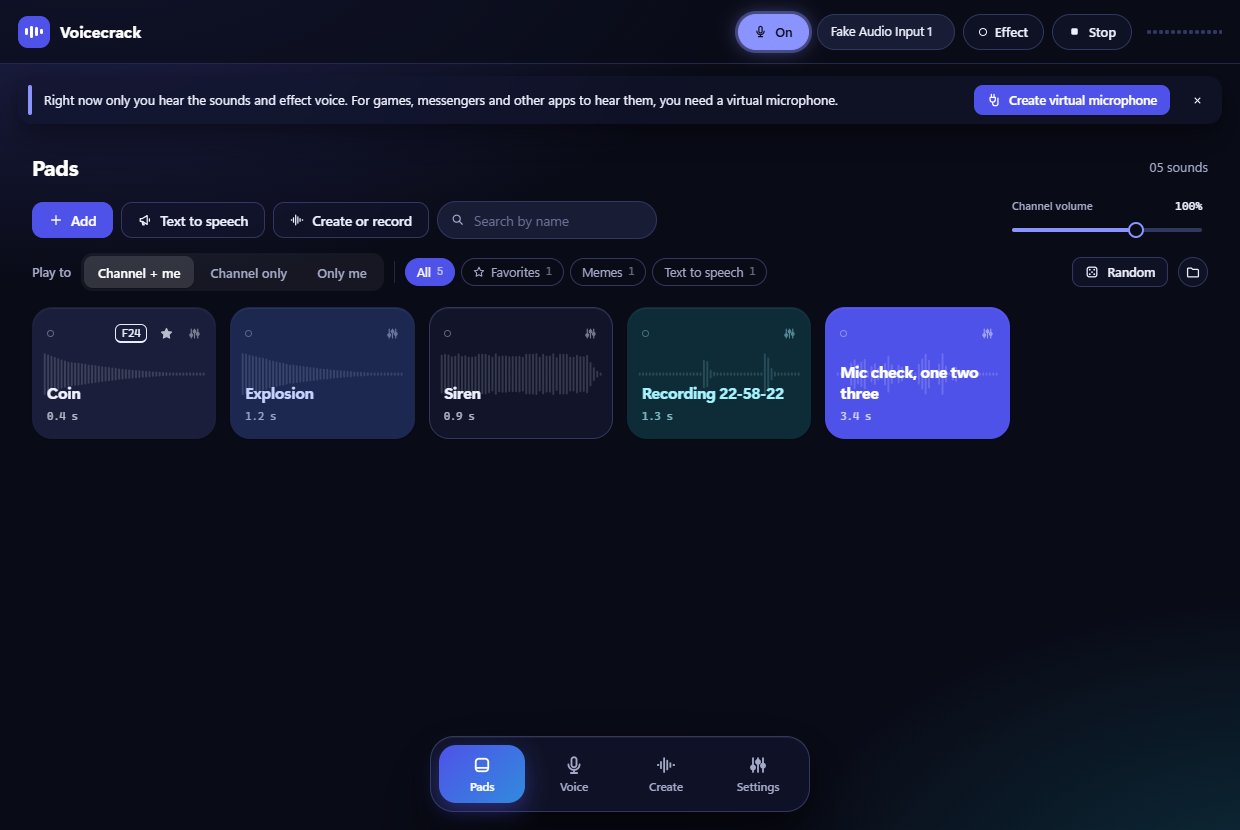
- Soundboard
-
Drop in music or a meme, trim the part you need on the waveform and give it a key. After that the sound fires straight from the game.
- Hotkeys work even when the window is minimized
- Speed from ×0.5 to ×2, trimming and volume levelling
- Play to the channel, only to yourself, or both
- Your mic can be muted while a sound plays
- Groups, favourites and a random sound
- Voice changer
-
Nine neural voices replace your whole voice, not just its pitch. Plus “Chipmunk” for fun. Latency is about 36 ms, which you do not notice in a conversation.
- Voice sample: record 4 seconds and hear yourself with any effect
- Your pitch is measured once, and the voices adapt to it
- One strength knob makes any voice milder
- A six-module voice lab and your own presets
- Neural voices
-
Nine voices where a neural network replaces the whole voice, not just its pitch. The model was trained for Voicecrack on public-domain audiobooks and speaks both Russian and English.
- Runs on the CPU — no graphics card needed
- Noise suppression removes hum and hiss, background drops by 15 dB
- Echo cancellation keeps speaker sound out of your microphone
- Virtual microphone
To be heard with an effect you need a virtual cable. Voicecrack downloads VB-CABLE and sets it up for you. Or turn on “In every app at once” and Voicecrack becomes the default Windows microphone.
- Create sounds
An 8-bit generator for coins, lasers and explosions, microphone recording and text-to-speech with Windows voices — all inside the app, no third-party sites.
- Privacy
No account, nothing is sent anywhere. You need the internet once: to download the app, VB-CABLE and, if you want it, the neural voice module.
Three design styles
The style changes in the app settings with one click. The menu can sit on top, on the left or at the bottom.
A look inside
Getting started
Download and install
Run the installer. The app installs itself and puts a shortcut on your desktop.
Create a virtual microphone
Click “Create virtual microphone” — the wizard downloads VB-CABLE and sets up the audio for you.
Pick the mic in your app
In the audio settings of your game or messenger choose
CABLE Output. Or turn on “In every app at once” and you do not have to pick anything.
Questions
Is it really free?
Yes. No ads in the app, no accounts, no subscriptions. VB-CABLE is a separate free program by VB-Audio Software (donationware).
Windows says “Windows protected your PC”
That is how Windows greets apps without a paid code-signing certificate. Click “More info”, then “Run anyway”.
Which apps does it work in?
Anywhere you can pick a microphone: games, messengers, calls, streams, recording and the browser.
Friends can’t understand me
In the audio settings of the app you talk in, turn off noise suppression, echo cancellation and automatic gain control — they fight the effect. Keep “Clarity” on in Voicecrack.
Do I need the internet?
Only to download the app, VB-CABLE and, optionally, the neural voice module. After that everything runs on your PC.
What PC do I need?
Windows 10 or 11 (64-bit), a microphone and ideally headphones. About 300 MB of disk space. An ordinary CPU is enough for the neural voice.
Do the neural voices sound real?
Close, but not perfect: the model is small so it can run in real time, and it was trained on a limited set of recordings. The Russian voices speak Russian better than English.